Documentation
Getting started with BuildWithGit
BuildWithGit is a hands-on platform where you solve real engineering challenges by writing code and building softwares from scratch.
Getting Started
You only need the BuildWithGit desktop app on your machine. Challenge setup, testing, and progress tracking all happen inside the app.
Install the desktop app
macOS and Linux — run this in your terminal:
$ curl -fsSL https://buildwithgit.com/desktop/install.sh | shWindows (experimental) — run this in PowerShell:
irm https://buildwithgit.com/desktop/install.ps1 | iexOr grab a build from the latest release, unpack it, and move bwg-desktop.app to /Applications. On first launch macOS may warn that the app is unsigned; the install script clears that for you.
Sign in
Open the app. On the home screen, paste the hash from your dashboard (or the full bwg init <hash> command) and hit sign in. You can also choose Sign in with browser to authenticate in one click.
How to Complete Challenges
Every challenge follows the same flow: set up → code → play. The app prepares the project folder, opens it in your editor, and runs the tests for you — no terminal commands to remember.
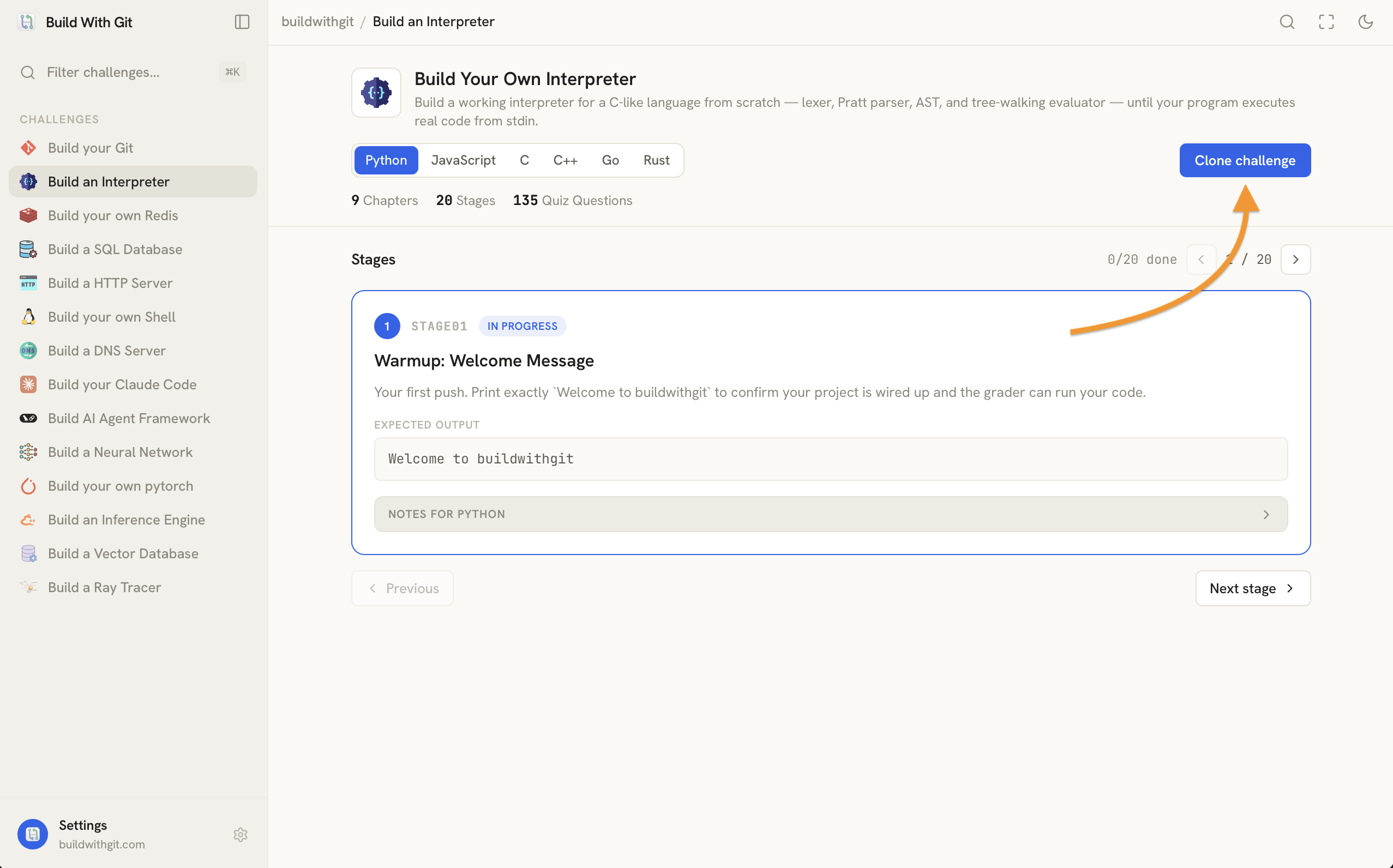
Set up a challenge
Pick a challenge from the sidebar, choose your language, and start it. The app prepares the project in a local folder and marks it ready.
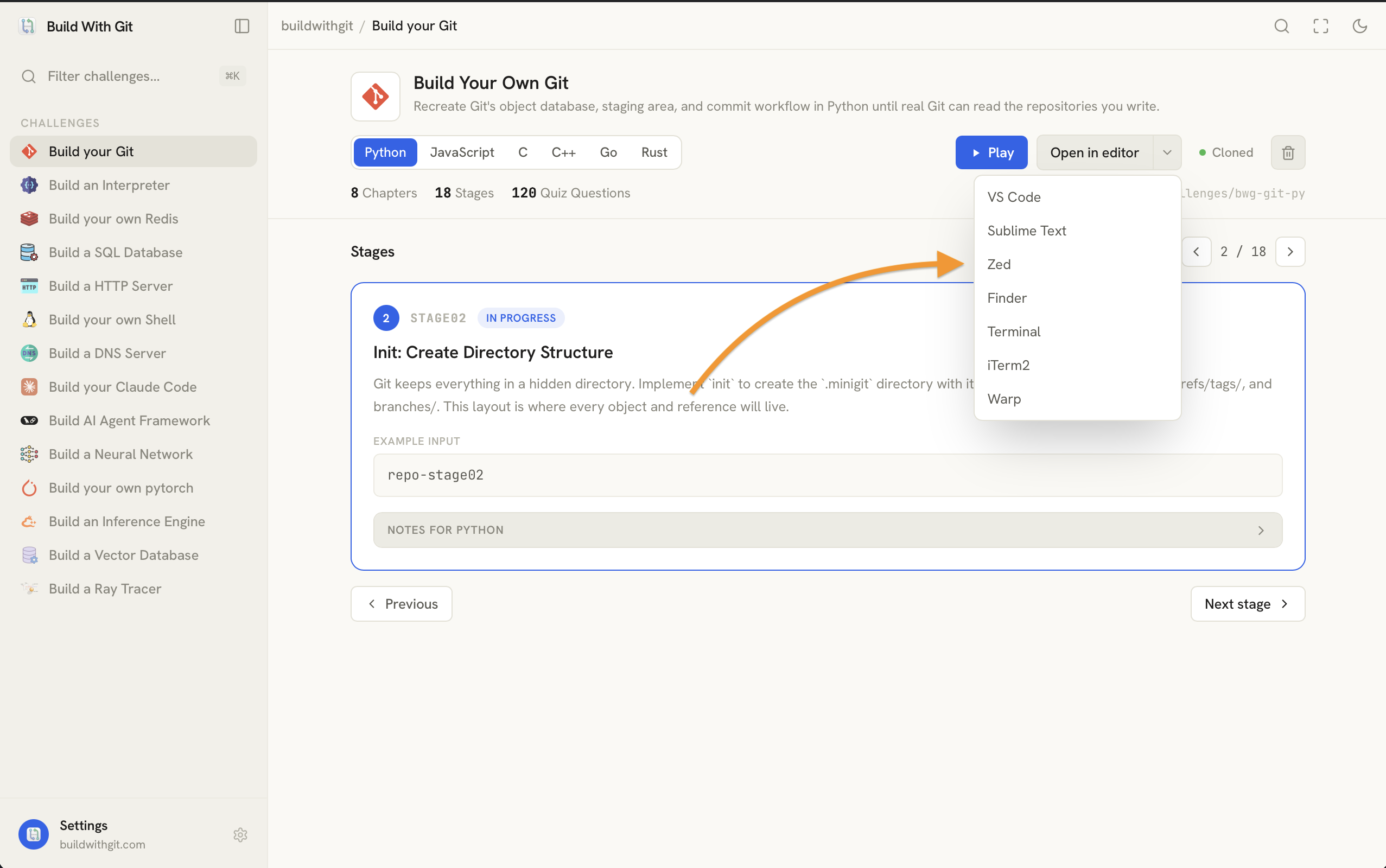
Open in your editor
Use the Open in editor dropdown to open the project folder in your editor of choice — VS Code, Zed, Sublime, or just Finder, Terminal, iTerm2, or Warp.
Write and run
Write your solution for the current stage, then hit Play. The app runs the automated tests and shows pass/fail inline — no terminal needed. Hit Play again after any fix; there is no limit on attempts.
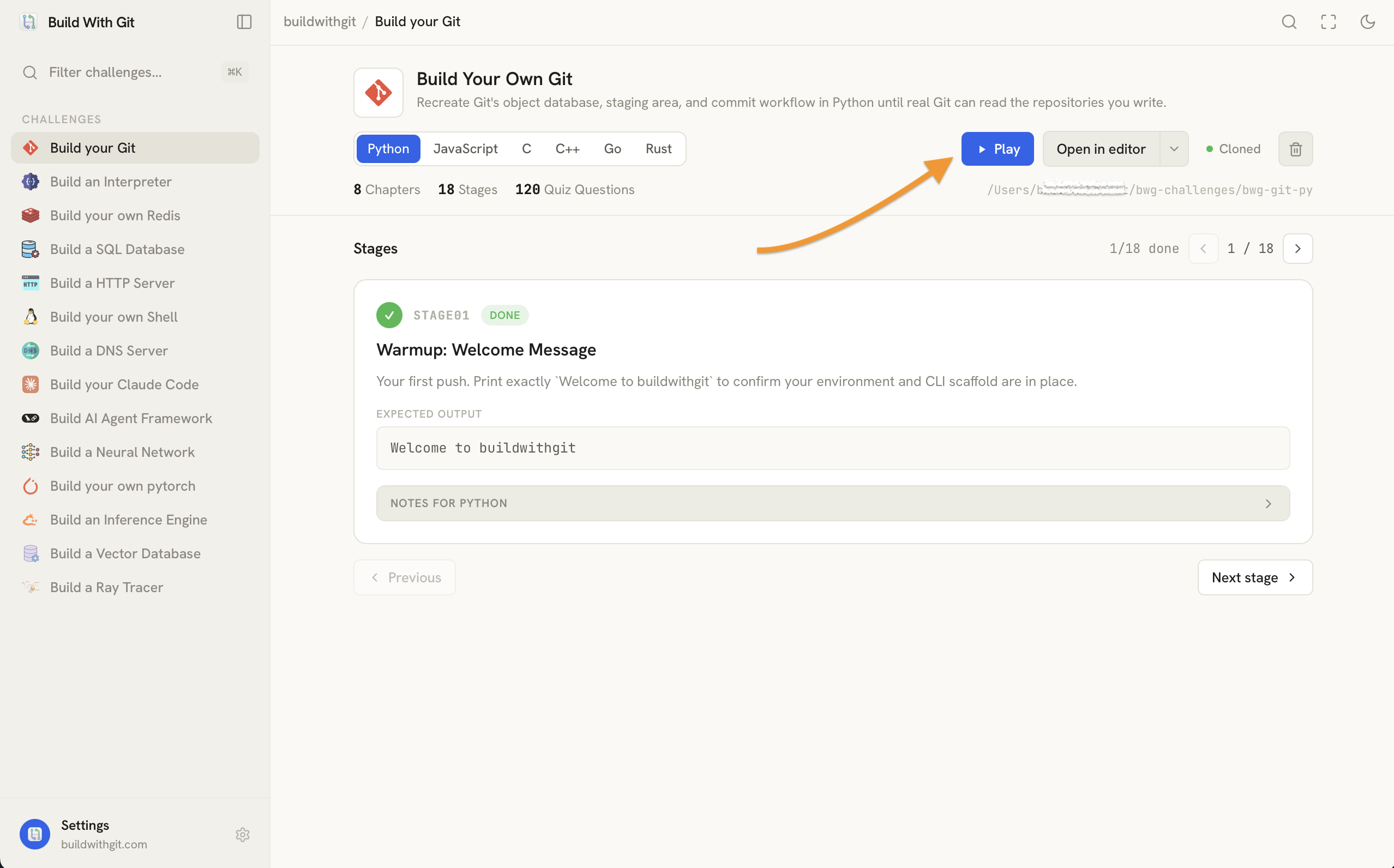
What happens when done
When a stage passes it is marked Done with a green check and your progress syncs to your dashboard automatically. Move to the next stage and repeat until the challenge is complete.
Updating the app
Re-run the install command above, or use the in-app updater under Settings → Desktop app.
The updater checks for new releases, downloads the latest build, and replaces the current one automatically.
Thank you
Thank you for using BuildWithGit. If you run into any issues or have feedback, reach out via the support page — it genuinely helps improve the platform for everyone.